
What does a TopPlace™Heat Map show?
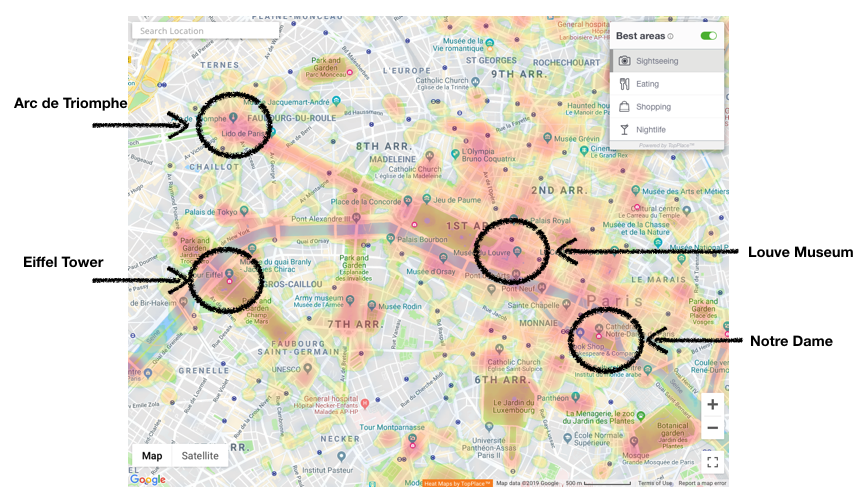
The TopPlace™ Heat Map is a visual tool for digital maps. It visually displays the best areas for a specific type of activity, such as the best areas within a city for sightseeing. The more intense the colour, the more the activity is associated with that area. e.g. the Eifel Tower in Paris is coloured a darker red as opposed to a nearby street 100m away.
The Heat Map is a digital map layer that is available as a plug and play product that can be incorporated into any site's digital map.
What is a Map Layer?
TopPlace™ Heat Map is a map layer that is overlayed on top of another digital map. It is currently available on:
- Googlemaps
- MapBox
- Leaflet (Open Street Map)
What are the activity categories available?
There are currently 4 activity categories available in the plug & play:
- Sightseeing
- Nightlife
- Eating
- Shopping
How long does it take to Integrate?
The Heat Map is available as a plug a play product. Integration for a website currently using a digital map typically requires 30-60min, depending on a company's internal processes.
The integration does require some coding knowledge as well as a compatible digital map already installed.
Map Tiles vs Map Vectors
The TopPlace™ Heat Map is available as either tiles or vectors.
A tile Heat Map seamlessly joins dozens of individually image files over the map. The advantages of tiles are that it provides consistency in look and feel. The creation of the images is done by AVUXI and sent to the browser.
Vectors are a set of coordinates that allow the browser to draw the map. This heavily reduces the size of the file sent to the device but does require additional local processing power to generate the map.
A company should consider its own needs and style guide before deciding between the tiles and vectors. Tiles are the default option recommended by AVUXI.
Heat Map on mobile
The Heat Map plug & play system is available for use on mobile websites.
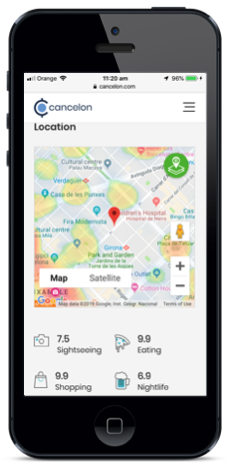
For native application development, please contact support.
Points of interest
The Heat Map will display the most relevant Point of Interest for the selected category. e.g. when the Heat Map has sightseeing active, the top visible sightseeing Points of Interest will be displayed.
Points of Interest will only display once the map has been zoomed in to an appropriate level. i.e. zoomed out maps will not display Points of Interest
Local Transport
For selected cities, the Heat Map can display the major train/subway/metro lines. Click here for a full list of cities currently available.
Heat Map Opacity
Opacity refers to the transparency of the map layer. During the setup wizard process, there is a gauge in which you can control the Opacity.
Low Opacity will display a lighter heat map and allow the base map details to be seen easier
High Opacity will display a strong dense heat map and the base map details will be more difficult to see.
The default is set for 40%, designed for use with Google Maps and Leaflet OSM.
For MapBox maps, we recommend either 30%-35%.
Third-Party Frameworks
TopPlace™ Heat Maps can be used with a variety of third-party frameworks, such as React, Vue or google web components. For more information, take a look at our Github integrations page