
For account security, TopPlace Plug & Play templates only work on the domains you want.
Setting up your domains
Each domain you want to have a TopPlace™ Plug & Play template deployed on needs to be added to your credentials list within your admin panel.
To find the credentials section, click on the credentials icon in the menu.
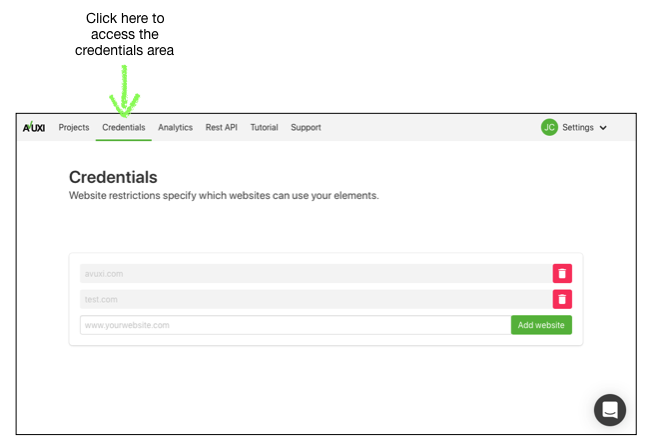
Then add the domains to the list.
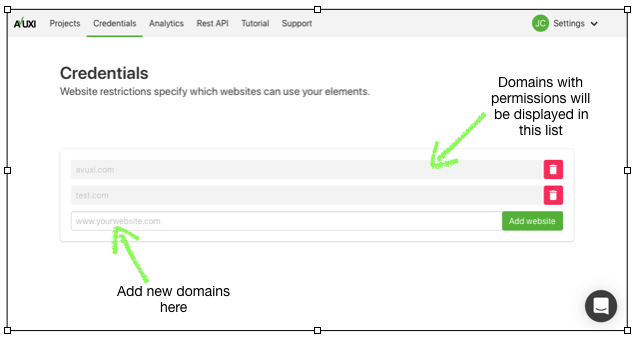
When entering the domain, don't use the https://. If you try and enter the https:// an error will appear.
e.g. https://avuxi.com should be simply avuxi.com
You are now set.
Setting up the testing environment
By default, Localhost is available and included in the setup. You can get started testing TopPlace™ Plug & Play templates straight away.
To test on other development servers outside your local environment, simply add the domain to your credentials list just like any other website.
You can also add specific ports, such as avuxi.com:9697
If you experience issues with your testing environment, please contact support@avuxi.com