
Activating TopPlace™ on Nezasa TripBuilder
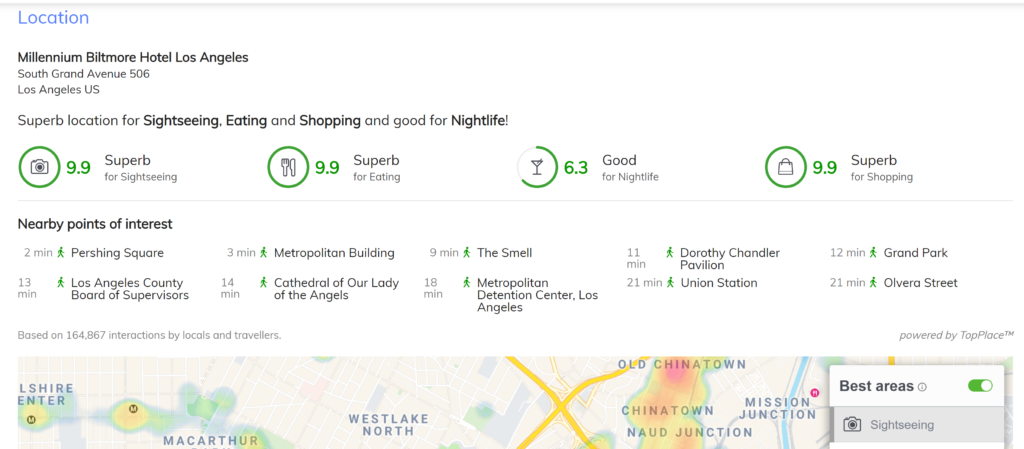
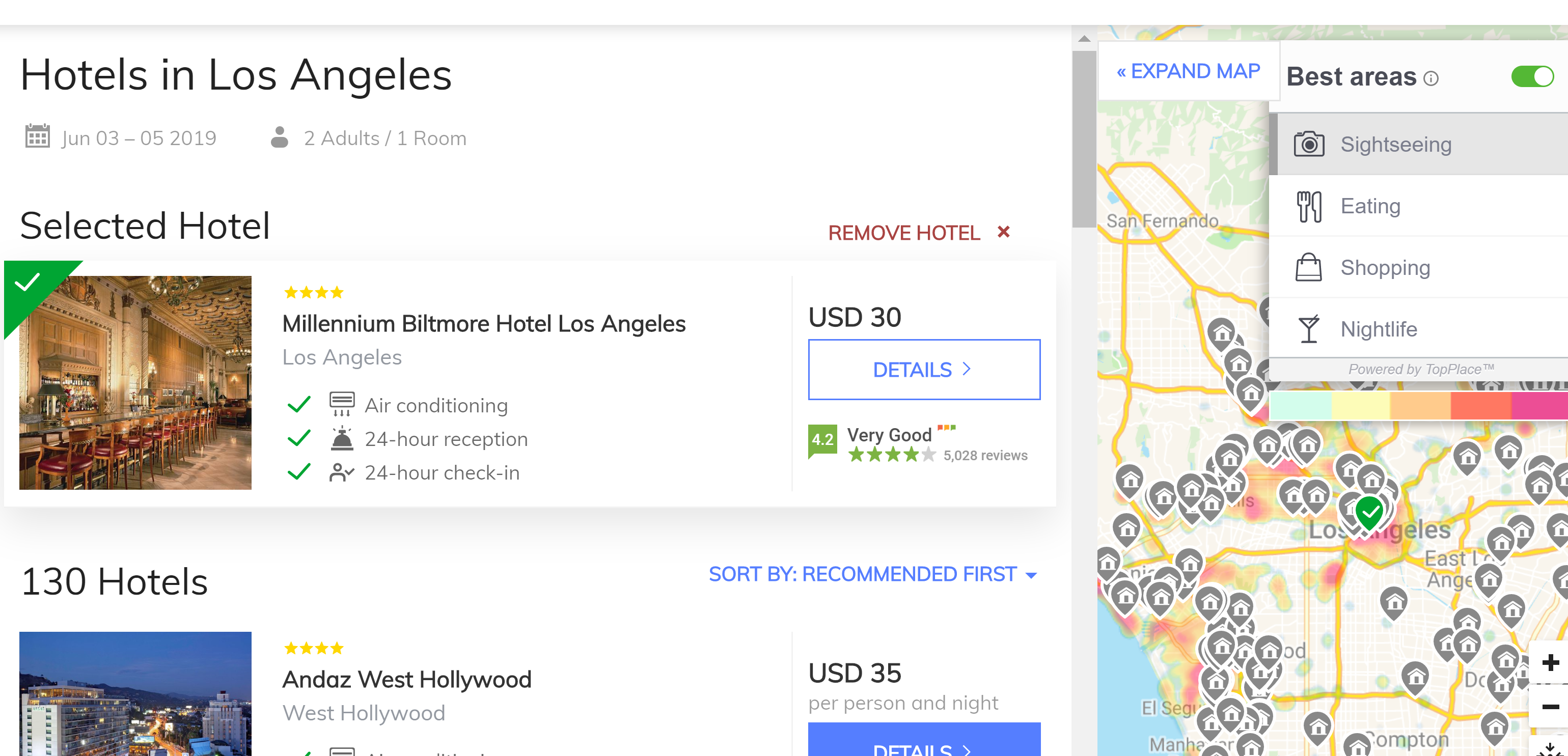
TopPlace heatmaps and Location Scores are available for use within the Nezasa TripBuilder technology platforms. TopPlace is integrated into the TripBuilder interface, providing a seamless experience for the end user.
Step 0: Prerequisites
- An active TopPlace™ account.
- An active Nezasa TripBuilder account.
Both the accounts are managed and paid for separately but are presented to the user as a seamless experience.
Step 1: Create a heatmap and Location Score elements
Open your TopPlace account and go to Projects. Within a project, create the heatmap and Location Score element you would like to have on TripBuilder.
NOTE: You can only install 1 heatmap and 1 Location Score Element on the Nezasa platform.
For further information on building a heatmap, click here.
For further information on building a Location Score Element, click here.
Ensure you have clicked "Enable" button on the project. 
HOT TIP: Rename your project, heatmap and Location Score Element something that involves the word Nezasa. This will help you to remember what is being used on the Nezasa platform.
Step 2: Send the Project ID and Map ID to Nezasa
Send the Project ID as well as the 2 Map IDs to your day to day contact at Nezasa. they will do the rest.
Other information
Cancelling or suspending your account:
To cancel the TopPlace account, you simply need to contact TopPlace support who will deactivate your account. support@avuxi.com
Should you decide to cancel your Nezasa account and wish to discontinue using TopPlace as well, please contact us via support@avuxi.com . Nezasa does NOT notify AVUXI of a cancelled account.